
How to Change iOS Push Notifications Permission Dialog with Expo
To receive push notifications we need to ask the user permission first. The requestPermissionsAsync function will show the user standard dialog asking to allow displaying alerts, setting badge count, and playing sounds.

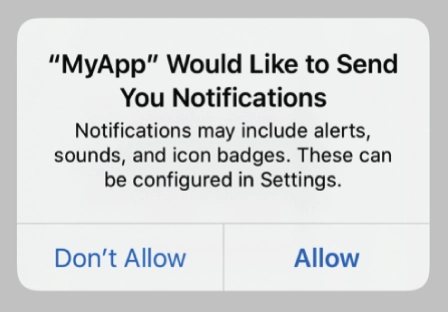
Unfortunately, the docs have no information on how to change the dialog's text and make it more personal for our app. I found this Apple Developer Forums thread which recommends setting the NSUserNotificationsUsageDescription key in the Info.plist file.
For React Native app we can easily do that with XCode. And for the Expo app, we can set it with app.json or app.config.js configuration files.
All we need to do is to go to the ios -> infoPlist section of the configuration file and add NSUserNotificationsUsageDescription key like so:
That's it! 🎉 Rebuild your app binary and enjoy your new permission text.
Happy hacking! 💻